Visual Instructions – Precise Staging Directly in the Image
Exact placement instead of vague text prompts. Visual instructions solve the interpretation problem in furniture placement through direct cues in the image.
Exact Placement Instead of Vague Text Prompts
Especially with empty, partially furnished, or unusually shaped rooms, purely textual instructions quickly reach their limits.
What exactly does “sofa to the left of the window” or “dining table centred in the room” mean to an AI?
Visual instructions solve this by defining placement and preferences directly in the image.
What Problem Do Visual Instructions Solve?
Until now, very specific ideas had to be described in text only.
In practice, this often led to:
- Room for interpretation in placement
- Multiple iterations
- Results that didn’t match the idea exactly
👉 Visual instructions replace abstract text descriptions with clear cues in the image.
The Main Benefit
High accuracy for targeted changes and clear staging concepts.
Visual instructions work especially well for:
- 1–2 very targeted changes in a partially or sparsely furnished room
- fully staging an empty room when you have exact ideas about placement
When several pieces of furniture are placed in an empty room via visual instructions, the AI adds the rest of the interior coherently and automatically for a consistent overall result.
Typical Use Cases
1. Targeted Changes in an Existing Room
The room is already partially furnished,
but individual pieces should be added or adjusted in a targeted way.
2. Empty Room with a Clear Vision
An agent has an empty room and knows exactly
where the sofa, table, or bed should go – including the desired feel of the space.
3. Challenging Room (e.g. L-Shape)
The room is challenging in terms of photography or layout
and needs explicit visual guidance to be staged correctly.
How Visual Instructions Work
- Upload image
- Switch to the editor
- Select “Visual Instructions”
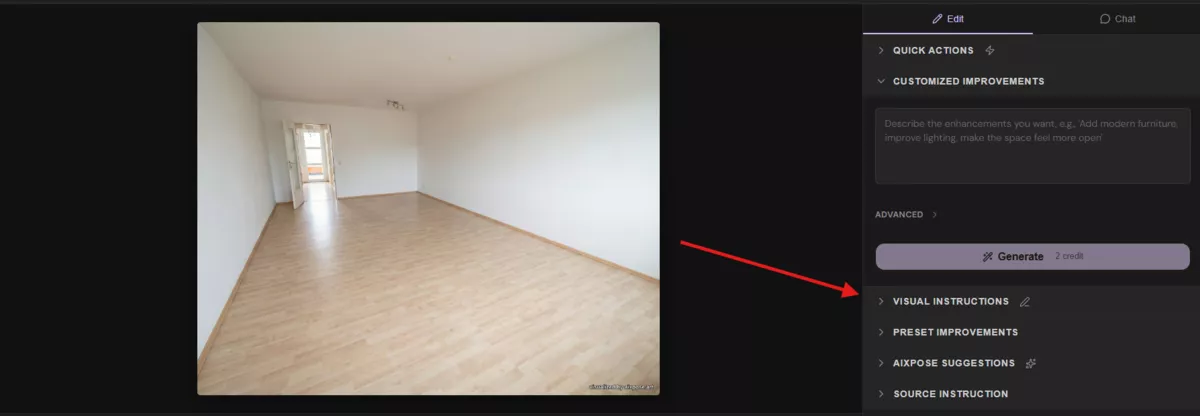
- Drag furniture elements or text cues into the image
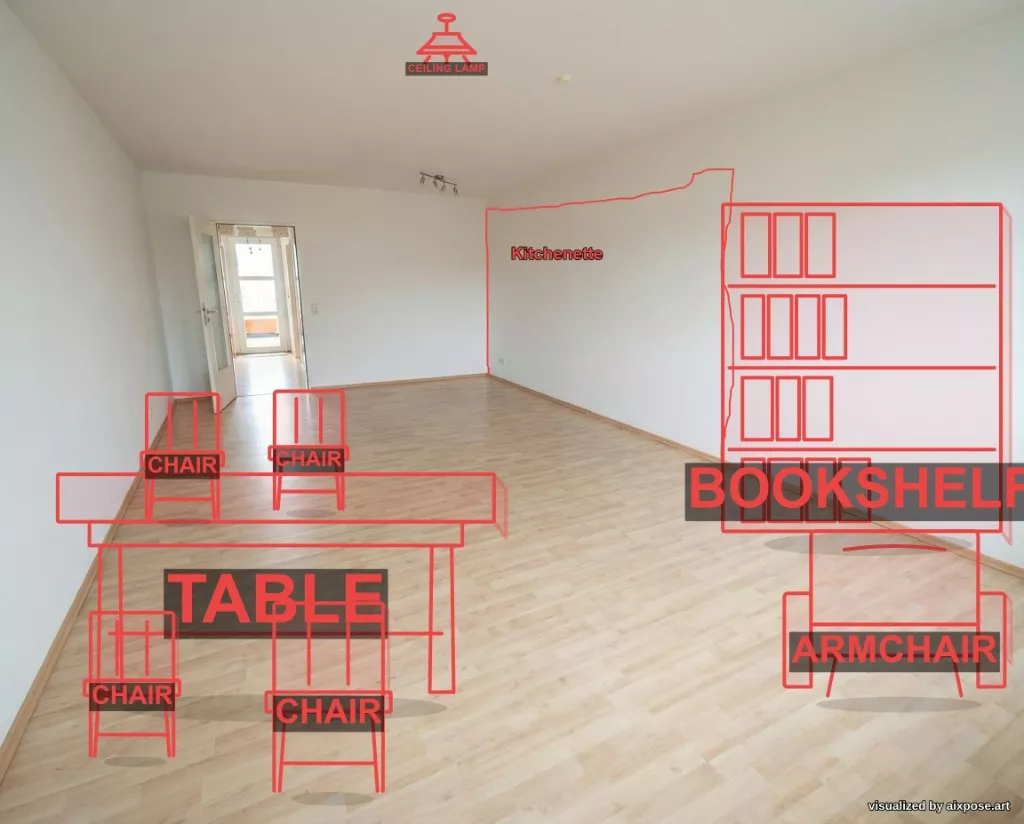
- Generate result
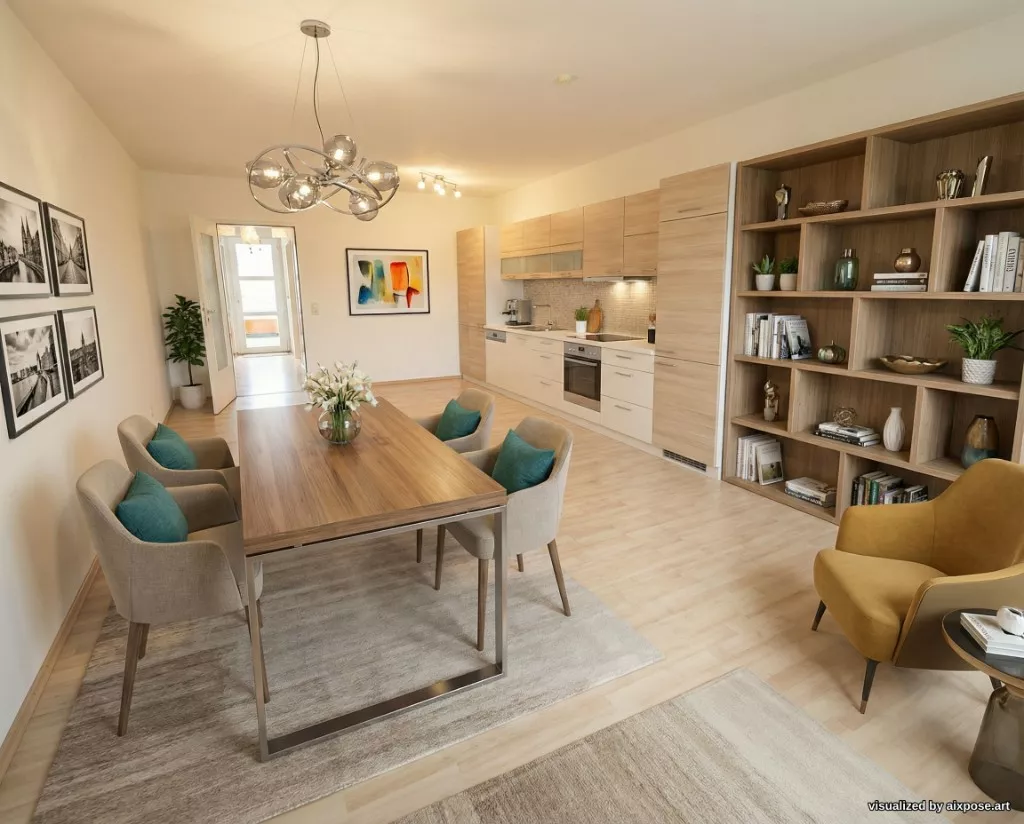
The AI uses these cues as concrete orientation directly in the space.
What’s New Compared to Before?
Before:
- Very detailed text prompts were needed
- Results partly depended on interpretation
Now:
- Visual placement cues directly in the image
- Clearer implementation of the desired staging
- Fewer iterations needed
Important Note
Visual instructions should not be used for:
- Heavily furnished or decorated rooms
- Scenes with many existing details
Visual instructions do not replace full restyling,
they complement it for precise interventions or clearly defined staging concepts.
Try It Now
Visual instructions are available to existing users directly in the editor.
Ready to Transform Your Listings?
Try AIXpose for free and see how AI-powered visuals can elevate your real estate business.
Get started free